Summary
Use FLUX.2 Klein to find the direction quickly and FLUX.2 Pro to finish it. Klein is the fast, cheaper model for exploration, and Pro is the detailed model for final deliverables and text in images.
- Klein comes in 4B and 9B sizes; the 4B variant has an Apache 2.0 license allowing commercial use, fine-tuning and local deployment, and Klein Base variants are built for fine-tuning
- Pro has 32B parameters and is among the most accurate models for text inside images, though it is slower, API-only and costs more per generation at scale
- Klein wins for moodboards, concept exploration, real-time tools and high-volume generation; Pro wins for brand campaigns, client-ready assets and legible text
- Recommended workflow: run a batch of Klein generations to lock composition, lighting and mood, then render the final in Pro, which gives a clean base frame for image-to-video
- Tips: specify lighting, use visual shorthand like film stock, spell out exact text, use reference images for consistency, and iterate fast
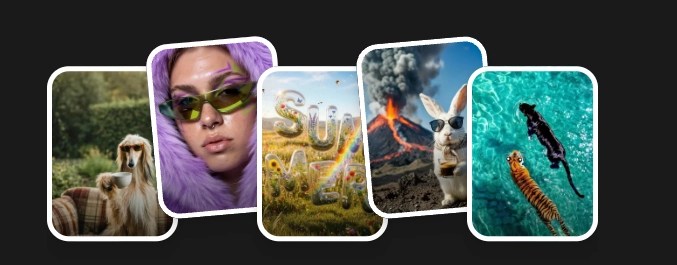 What Are Your Ideas Today?
What FLUX.2 is and why creators care
Black Forest Labs’ FLUX.2 lineup is positioned as a rethink of how image generation should work. The key promise is sharper prompt understanding, faster generation, and unified generation plus editing inside the same model family.
In practice, that means you can treat image generation like a pipeline, not a lottery. You do fast exploration when you’re still deciding the direction, and you do high-precision finishing when you know what you’re shipping.
FLUX.2 Klein: the speed engine for real iteration
Klein comes in two sizes: 4B and 9B parameters. The 4B distilled variant is described as extremely fast, while 9B adds more detail and photorealism while staying much faster than Pro.
What makes Klein especially interesting for builders and teams is licensing and deployment. The writeup highlights an Apache 2.0 license on the 4B variant, with the ability to use it commercially, fine-tune it, and even deploy locally.
If you are building tools, running high-volume pipelines, or just want fewer dependencies, that matters.
Klein is best when you want velocity: ideation, moodboards, interactive workflows, real-time-ish experimentation, and early-stage creative exploration.
FLUX.2 Pro: the finishing model for deliverables
Pro is positioned as the detail monster: 32B parameters, deeper understanding of prompts, and outputs that hold up when you zoom in and judge lighting, materials, skin, fabric, and metal.
The most important practical claim is text. Flux.2 Pro competes with Qwen Image 2.0 Pro and Nano Banana Pro as the one of the most accurate model available for text inside images (logos, headlines, UI mockups, infographics).
If you create marketing assets, product labels, UI screens, or anything with typography, the model would be very usable for you.
Pro is for final deliverables, brand campaigns, editorial-quality work, and anything going to print or public.
The real difference in one sentence
Use Klein to find the direction. Use Pro to finish it.
We recommend the workflow: run a batch of Klein generations to lock composition, lighting, and mood, then switch to Pro for the final render once the direction is decided.
This is also the workflow that makes AI images easier to reuse for image-to-video, detail swaps, and consistent series, because your final “base frame” is clean.
Where each model wins (and why it matters for image-to-video)
Moodboards and concept exploration: Klein wins
When you’re still trying to answer “what does this project look like,” speed is everything. Klein lets you generate a lot of variations quickly, test different directions, and get to a decision faster.
This is exactly what you want before you ever touch video: pick the look, lock the character, lock the lighting language.
Brand campaigns and client-ready assets: Pro wins
When quality is non-negotiable, Pro earns its place. It’s got strength in maintaining visual consistency across characters, environments, and compositions, which is what you need when you are handing work off to a client or publishing at scale.
And if you are going image-to-video, consistency is not optional. Anything slightly wrong in a still gets amplified once motion enters the chat.
Text inside images: Pro, almost always
If your creative includes text a billboard headline, a product label, a UI screen Pro is positioned as the professional choice. Klein improves (especially 9B), but Pro is the one built for legible, correctly formed text across languages.
For marketing teams, this is one of the biggest differences between “cool demo” and “we can actually ship this.”

Prompt: A cinematic movie poster banner titled "Lost in the Woods" — dark atmospheric forest background with thick fog between tall shadowy trees. Moody desaturated color palette, cold blue-green tones. Dramatic lighting with a faint golden glow breaking through the canopy. Bold elegant typography, minimalist design, thriller genre aesthetic.

Real-time tools and high-volume generation: Klein wins
If you’re building something interactive, a design tool, a live preview workflow, or a generation API for lots of outputs, Klein is positioned as the foundation.
It’s also where cost and throughput start to matter more than maximum fidelity per image.
Fine-tuning and custom styles: Klein Base wins
If you want your own brand style, a specific character, or a proprietary aesthetic, the 4B and 9B Base variants are optimized for fine-tuning, with full commercial rights on the 4B.
That’s the path for teams who want consistency at scale without writing 15-line prompts forever.
Prompt: A female swimmer diving into a swimming pool, captured mid-glide underwater in a streamlined position, arms extended straight forward, legs together and pointed. She wears a dark one-piece swimsuit. Clear turquoise water with light refracting in caustic patterns across the tiled pool floor and walls. Small bubbles trail behind her from the dive entry near the pool edge. Shot from underwater at an angle, natural pool lighting, crisp details, dynamic motion, stock photography style.


Practical tips that actually improve results (without turning you into a prompt poet)
1) Be specific about lighting
The simplest quality upgrade is not a fancy camera. It’s telling the model how the scene is lit. If you do nothing else, add: time of day, light source direction, softness of shadows, and lens depth.
2) Use visual shorthand on purpose
Models understand creative shorthand like film stock, editorial fashion photography, corporate lifestyle stock, or a specific palette and composition style. We recommend naming those references and mixing them, especially because Klein iterates fast enough to test combinations.
3) Spell out your text
Do not ask for a just sign. Ask for a sign that reads exactly what you want. Pro will render it, Klein 9B will attempt it, and the key is not forcing the model to guess.
4) Reference images are your consistency lever
Both models accept reference images to anchor style or character. Klein supports fewer references than Pro, while Pro supports more and processes part of them at higher fidelity.
If your end goal is a video clip or a multi-shot sequence, reference images are the fastest way to stop character drift.
5) Iterate fast, perfect late
Spending half an hour crafting one perfect prompt is usually the wrong move. A better workflow is quick variations, pick the best, then refine across a few passes.
That is how you keep momentum and avoid creative paralysis.
Klein at 4B can be inconsistent on fine details and complex scenes, and its text rendering is weaker than Pro, with resolution limits that may not fit large-format print.
Pro is slower, API-only, and costs more per generation at scale.
None of that is a dealbreaker. It just means each model has a job.
The takeaway for people building toward video or a bigger project
If your end goal is a video clip, a cinematic sequence, or a consistent visual system for a product, your “best model” is the one that fits the stage.
Start with Klein to move fast and find the look. Once the direction is locked, switch to Pro for a clean, consistent base frame that will survive downstream work like image-to-video, detail swaps, and multi-shot continuity. The same writeup that breaks down the models also recommends this exact handoff.