Summary
Nano Banana 2 (Gemini 3.1 Flash Image) is the fast everyday model for rapid iteration, while Nano Banana Pro remains the choice when you need maximum control and a consistent base for downstream work.
- Nano Banana 2 offers Flash speed, better text rendering, in-image translation, multi-character scenes, aspect ratio control and up to 4K output, and is widely available even on the free tier
- Nano Banana Pro is aimed at diagrams, infographics and clear text, and suits image-to-video, detailed edits and consistent series
- In the same-portrait edit test, Pro gave deeper shadows, more skin micro-detail and crisper hair edges, while Nano Banana 2 gave a smoother, softer finish
- Nano Banana 1 is described as the original fast draft model for exploring directions and quick experiments
- Everypixel Workroom offers both models; Nano Banana 2, added the week of the article, costs about half the credits and renders faster
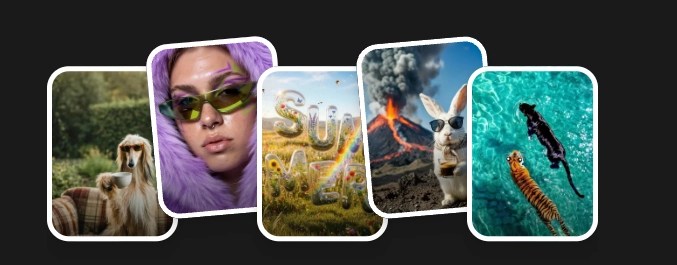 What Are Your Ideas Today?
Google’s newest image model, Nano Banana 2 (officially Gemini 3.1 Flash Image), has become the default choice in Gemini for a simple reason: it delivers sharp, usable results at Flash speed, and it’s widely available even on the free tier. That matters when you’re generating under deadline and need multiple strong options, not one lucky hit.
In this post, we talk about Nano Banana 1, Pro, and 2 the way our production teams use them, so you could pick the right model for your workflow.
What the three Bananas actually are
Nano Banana 1
Think of Nano Banana 1 as the “original fast draft” era: great for exploring directions, rough storyboards, quick social experiments, and anything where you’d rather generate 30 variations than perfect one. Google’s own positioning over time implies this role: the family started as a speed-friendly image generation track that later split into “Flash” and “Pro” style capabilities.
Nano Banana Pro (Gemini 3 Pro Image)
Pro grants users high control and fidelity: it’s sharper, more detailed, more reasoning-heavy, and specifically marketed for tasks like diagrams, infographics, and clear text – where correctness matters more than raw iteration speed. Nano Banana Pro is still relevant because real creative work is not only about speed. When you’re polishing high-stakes assets, you often need tighter control and more predictable outputs.
Nano Banana 2 (Gemini 3.1 Flash Image)
Nano Banana 2 is Flash Image’s newest generation and Google’s new default across Gemini experiences. It’s designed for speed, but with upgraded visual fidelity, precise instruction following, better text rendering, and in-image translation/localization features.
Our production team also emphasizes capabilities that matter in production reality: multi-character scenes, multiple objects, aspect ratio control, and up to 4K output.
The real difference: iterate fast vs lock it down
In production, you are not picking a winner. You are picking the tool that gets you to a usable image with the least friction. Nano Banana 2 is the everyday workhorse for rapid rounds: quick variations, quick revisions, and clean outputs that are ready to move forward without a long cleanup step.

Nano Banana 2 works best when you need lots of options fast, marketing-ready visuals, readable headlines, and localized versions that still stay consistent across iterations.

Nano Banana Pro is the right choice when the brief is fixed and you need maximum control, higher detail, and predictable results for high-stakes assets.
Why Nano Banana Pro still matters in 2026
Nano Banana 2 is perfect for fast iteration, but Pro is the production choice when you need a clean, consistent base you can build on. If your images are going downstream into video generation, detailed edits, or cinematic sequences, consistency becomes the main currency. Pro is the model you pick to reduce surprises and keep your shots coherent from frame to frame.
Pro definitely makes sense when:
- You need a reliable, consistent visual foundation for image-to-video workflows, where small artifacts turn into big problems once motion is involved.
- You plan to do follow-up edits like swapping details, refining props, or keeping a character and styling consistent across a series.
- You want a more cinematic, production-ready look with fewer artifacts and less cleanup before you move into finishing steps.
Side-by-side in production: Nano Banana 2 edit vs Nano Banana Pro edit


We ran the same AI-generated portrait through two edit passes in our pipeline: Nano Banana 2 and Nano Banana Pro. At first glance they read as the same shot, but the differences show up in the places that matter for production: lighting behavior, micro-texture, and how stable the image feels when you plan to reuse it for further edits or downstream video.
Lighting and contrast
In the Pro edit, the lighting reads a touch more sculpted: shadows along the cheekbones and jawline feel slightly deeper, which gives the face more definition. In Nano Banana 2, the light is smoother and more even – less dramatic separation between highlights and shadows, which can feel cleaner for some brand styles but slightly flatter in others.
Skin texture and retouch feel
Pro preserves more of the natural micro-detail: pores, fine texture, and beard stubble look a bit more pronounced, like a premium portrait retouch that still keeps realism. Nano Banana 2 leans toward a softer finish – skin and transitions look a little more smoothed, closer to a light beauty retouch.
Hair edges and fine detail
On the Pro version, individual hair strands and the edge of the hairstyle read more crisply, with a bit more micro-contrast. On Nano Banana 2, those edges are slightly softer – still realistic, but with less bite in the fine details.
What this means in practice
If you’re building a clean, consistent base for further edits or image-to-video, the Pro result tends to give you a tighter, more production-ready foundation: sharper micro-details, fewer soft spots, and a more controlled look that survives additional transformations. Nano Banana 2, on the other hand, is often the faster path to a clean, usable edit – especially when you want a softer, more broadly “friendly” finish and you’re iterating quickly.
Just take a look on “the same prompt – different pictures”:
Nano Banana 2
Nano Banana Pro


The upgrade means having the right model for the right stage
Everypixel Workroom now gives you both ends of the spectrum. Nano Banana Pro has been in production for months and stays the go-to when you need a clean, consistent base for serious work like image-to-video, precise detail swaps, and a controlled cinematic look with minimal artifacts.
This week we added Nano Banana 2, and it changes the pace. It costs about half the credits, renders noticeably faster, and still delivers sharp, usable results for rapid rounds and campaign variations. Use Nano Banana 2 to generate and iterate at speed, then move to Pro when you’re locking the final look. Either way, you should be generating now.