Summary
October brought two notable video developments: Kling 4.0 expanded clip length and keyframe control, while fal’s FLUX 3 Max put generation speed in the spotlight.
- Google retired the Veo 3.1 preview endpoints in the Gemini API on October 22, requiring teams still using those specific model IDs to migrate.
- On November 4, OpenAI followed with Images 2.6, introducing animated GIF output, SVG export and more targeted image editing.
- For production teams, the common theme is practical: check whether a model reliably delivers the files your workflow needs, and watch changes to API availability as closely as headline features.
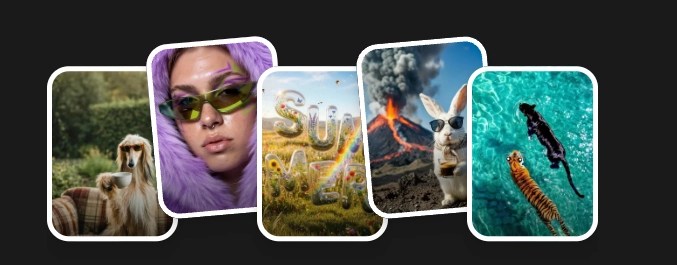 What Are Your Ideas Today?

At a glance
| Item | What changed | Source, date | Verdict |
|---|---|---|---|
| Kling 4.0 | Up to 30-second clips, up to 10 keyframes; official API became available October 28 | Kling, September 30 announcement; October 28 API update | Act / Watch |
| FLUX 3 Max | Faster image-to-video generation from fal Research and Black Forest Labs | fal, October 2026 | Watch |
| Veo 3.1 previews in the Gemini API | Preview model IDs shut down; Google lists Gemini Omni 1.1 Flash as a replacement | Google, October 22, 2026 | Act |
| OpenAI Images 2.6 | Animated GIFs, SVG export, markup-based edits, Flare and Sunburst | OpenAI, November 4, 2026 | Act / Watch |
Kling 4.0: longer clips and more control over the shot
Kling announced 4.0 on September 30 ahead of its October rollout, promising clips of up to 30 seconds and the ability to guide a sequence with as many as ten keyframes. That changes how creators can describe a scene: rather than stitching together several short clips, they can try placing important visual moments along a single timeline. Kling’s official API update dated October 28 confirms that the 4.0 endpoints had become available by then, although access and pricing can still differ between platforms.
For a production team, the interesting question isn’t whether 30 seconds sounds impressive; it’s how much usable footage survives review. In Everypixel’s Kling 4 versus Seedance test, the editors used five creative briefs in three input modes, producing 15 attempted clips per model. Their assessment was a practical first look, not a blind benchmark, and it tested 10-second clips rather than Kling’s maximum 30-second setting. The videos included native audio, but the team did not score the sound separately.
Kling 4: night car chase from a start frame
Model: Kling 4 · Mode: image-to-video (start frame) · 10 s, 720p, 16:9, native audio · One generation · Generated October 27, 2026
Reference images and keyframes may help keep a character recognizable as the location or action changes, but they are not a guarantee that clothing, faces or product details will remain identical. For campaigns involving a real product, the final frames still need a human check.
Verdict — Act / Watch: Kling 4.0’s API is already open according to Kling’s October 28 update. Test the endpoints and keyframe workflow with your actual briefs, and check which resolutions and features your chosen platform currently exposes.
Number of the month: 15 out of 15
Kling 4 delivered 15 of 15 requested clips in Everypixel’s test; Seedance 2.5 delivered 12 of 15. Seedance’s provider-side content filter blocked three attempts, including anime and car-chase briefs. The difference measures successful delivery under this particular test setup, not an overall ranking of visual quality: there was one generation per brief, one editor reviewed the results, and the test did not evaluate audio quality. The result is still useful for production planning, where a rejected prompt can delay a deadline even before anyone judges the images.
Source: Kling 4: What’s New, and How it Did Against Seedance in Our 15-Clip Test
FLUX 3 Max: generation speed becomes a practical variable
fal Research introduced FLUX 3 Max with Black Forest Labs in October, positioning it as a fast image-to-video model. In fal’s published measurements, a 10-second FLUX 3 Max clip took 12.45 seconds to generate, against 277.80 seconds for Seedance 2.5. Those are developer-reported benchmark numbers from a defined test setup, not an independent Everypixel comparison or a promise about every prompt and queue.
The production value is easy to understand: a team exploring four camera movements can review options sooner when each attempt completes quickly. But speed by itself doesn’t tell you what the finished clip costs. The number of rejected, unusable or heavily edited takes matters too, especially when a shot must match existing footage or a product’s appearance. A sensible test should record generation time, acceptable results and manual corrections together.
Verdict — Watch: Try FLUX 3 Max on repeatable image-to-video briefs and compare cost per usable clip. Use official or owned media when illustrating the result.
Google retires Veo 3.1 preview endpoints in the Gemini API
On October 22, Google shut down the Veo 3.1 preview identifiers listed in its Gemini API deprecation schedule, including the standard, Fast and Lite preview variants. The important distinction is that this concerns specific preview endpoints, not a blanket shutdown of Veo or every Google video-generation product. Google’s deprecation page names gemini-omni-1.2-flash, generally available since November 5, as the replacement for all three retired preview IDs. If your pipeline moved to gemini-omni-1.1-flash, note that Google will route those requests to 1.2 Flash from December 3, 2026, so test outputs now rather than after the switch. Teams that need Veo itself can use the generally available Veo 3.1 models on Google’s Gemini Enterprise Agent Platform.
This is an operational news item rather than a visual-quality contest. A production pipeline pinned to an expired model ID may stop working even if the interface looks unchanged. Check model identifiers, update routing and run representative briefs through the replacement, paying particular attention to audio and timing. Native audio—generating sound with the picture—can speed up concept work, but teams still need to review dialogue, synchronization and the ability to edit separate tracks where required. For usage rights across Veo, Kling and other video models, see our comparison of AI video model licenses.

Verdict — Act: Audit integrations for the retired Veo 3.1 preview model IDs and test the replacement before a client deliverable depends on it.
OpenAI Images 2.6: Faster Generation and More Editing Control
OpenAI introduced Images 2.6 on November 4, 2026, bringing faster image generation and new editing capabilities to its image models. According to the company, generation is around 50% faster than before, while new features include animated GIFs, SVG exports, and markup-guided editing, which allows users to specify the areas of an image they want to change.
The release includes two models with different priorities. Flare focuses on speed, making it useful for exploring concepts and producing quick variations, while Sunburst is designed for more detailed generation and editing. For production teams, the choice depends on whether they need to explore ideas quickly or spend more time refining a particular image.
These capabilities are especially relevant to advertising, where a single product may need to appear in several settings, compositions, or formats without requiring a new photoshoot for every variation.
From a Product Photo to a Creative Campaign

Original product reference: silver over-ear headphones with a white mesh headband.


GPT-Image-2.6 Flare: AI-generated lifestyle variation featuring lavender headphones.
GPT-Image-2.6 Sunburst: AI-generated lifestyle variation featuring sage-green headphones.
The headphone series illustrates this type of creative workflow. Starting with a simple product photograph, the concept develops into two lifestyle images featuring different headphone colors and a short product animation. Together, the visuals show how a single product idea can be explored across several advertising formats.
Such flexibility is useful for creative experimentation, although it also makes accurate product representation important. If the brief calls for a new color, changing the headphones is intentional; if the original design must remain unchanged, the same alteration becomes an error that needs correcting.
Production takeaway: Flare and Sunburst offer different approaches to image generation and editing, but the practical value of either model depends on how accurately it follows a creative brief and how much work is needed to produce the final asset.
Coming up
Two follow-ups belong on a production team’s watchlist. First, monitor Google’s release and migration documentation for the general-availability Veo 3.1 offering, checking the supported platform and endpoint rather than assuming it replaces the discontinued Gemini API previews directly. Second, although Kling 4.0’s official API opened October 28, keep an eye on access through the specific providers and production stacks your team uses, including supported resolutions, keyframe limits and costs.
What production teams should take away
October’s updates reward teams that keep a record of real outputs rather than choosing models from launch-day claims. Kling’s longer clips and keyframes are useful only when a sequence holds together; FLUX 3 Max’s speed matters when more attempts lead to more usable takes; an API retirement can demand immediate attention regardless of image quality; and Images 2.6’s editing features need to be judged on whether they preserve the details a brief actually requires. For the next comparison, use the same inputs, note the number of attempts, and calculate the time and price of an acceptable result—not simply the cost of pressing Generate.

Sources
- Kling AI — Introducing Kling 4.0 (September 2026)
- Kling AI — API updates (October 2026)
- Everypixel Journal — Kling 4: What’s New, and How it Did Against Seedance in Our 15-Clip Test (October 2026)
- fal — Introducing FLUX 3 Max (October 2026)
- Google AI for Developers — Gemini API deprecations
- OpenAI — Introducing Images 2.6 (November 2026)