Summary
No single check can prove an image is AI-generated in 2026, so combine visual clues, SynthID, C2PA Content Credentials and source checks.
- Common AI mistakes, such as distorted hands and inconsistent reflections, are becoming less reliable as detection clues.
- SynthID can help identify invisible AI watermarks, while C2PA Content Credentials provide information about an image’s recorded origin and editing history.
- When verification tools produce inconclusive results, checking the original source and finding independent evidence becomes especially important.
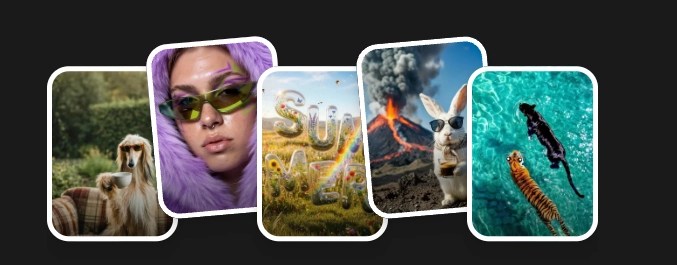 What Are Your Ideas Today?


Can you tell which image is AI-generated? Find the answer at the end of this article.
Not long ago, identifying an AI-generated image was relatively straightforward. Extra fingers, distorted reflections, and unreadable text were common enough that even a quick inspection could reveal something unusual. Those familiar mistakes have not disappeared entirely, but they are becoming less useful as image generators improve.
Today’s models can produce convincing portraits, realistic interiors, and commercial visuals that closely resemble professional photography. They handle complex lighting, materials, and perspective with increasing accuracy, making it difficult to judge an image’s origin from appearance alone.
This creates a practical problem for anyone working with visual content. A photograph and an AI-generated image may look equally plausible, yet the distinction can matter enormously when an image is presented as evidence, used to advertise a product, or published alongside a news story.
Determining whether an image was generated now requires more than visual inspection. Invisible watermarks, provenance records, and information about the original source can all help establish how an image was created, although each method has its limitations.
Understanding how these methods work, and what their results actually mean, is the starting point for more reliable image verification.
Can you still tell AI images from real photos?
Modern image generators reproduce lighting, textures, anatomy, and perspective far more convincingly than earlier systems. Details that once exposed synthetic imagery, including skin texture, reflections on glass, and the structure of everyday objects, are often rendered accurately enough to withstand casual inspection.
This doesn’t mean every generated image is indistinguishable from a photograph. Complex scenes can still contain visible errors, particularly when multiple objects interact or when the image includes fine text. However, the absence of such mistakes tells us relatively little about how a file was produced.
The difficulty becomes clear in side-by-side comparisons. When a photograph and two generated images share believable proportions, materials, and lighting, identifying the real one may require more than careful observation.
Research supports this observation: a study published on arXiv in 2025 found that human participants performed only slightly better than chance when identifying AI-generated images under its test conditions (arXiv:2512.22236).


The problem also extends beyond identifying whether an image is synthetic. People may prefer an AI-generated image to a real photograph without knowing which is which, particularly when the generated version offers better composition, lighting, or visual consistency.
Everypixel explored these differences in AI vs Real Photos in 2026: What People Actually Prefer, examining how viewers evaluate generated imagery and photography across different visual categories. These findings highlight an important distinction between visual quality and photographic origin: an image may look realistic, receive favorable evaluations, and still depict something that never existed.
There is also a difference between recognizing the style of an AI image and establishing how a particular file was made. A portrait with flawless skin or an unusually dramatic sky may resemble generative imagery, but those qualities can also result from studio lighting, editing, filters, or deliberate art direction. Conversely, generated images can reproduce film grain, motion blur, uneven framing, and other imperfections commonly associated with cameras.
When examining an image, it helps to separate observations from conclusions. Inconsistent lettering on a shopfront is something a reviewer can describe and document, whereas identifying the entire image as AI-generated requires additional evidence. This distinction becomes particularly useful when an assessment needs to be explained to an editor, client, or colleague.
Visual clues that may reveal an AI-generated image
Although visual inspection is no longer a dependable standalone detection method, it remains a useful first step. Certain inconsistencies can indicate that an image deserves closer examination, especially when they involve objects or physical relationships that should follow recognizable rules.
1. Classic AI mistakes
Earlier image generators frequently struggled with several recognizable details:
- Hands and fingers: extra digits, unusual joints, or distorted anatomy.
- Text: misspelled words, inconsistent lettering, or meaningless characters.
- Reflections: mirrors and shiny surfaces showing impossible angles.
- Geometry: objects with inconsistent shapes or proportions.
- Lighting: shadows that contradict the apparent light source.
These features are still worth checking, particularly in crowded compositions where many objects overlap or interact. However, newer models handle them more reliably, and AI-assisted editing makes it possible to correct individual mistakes without regenerating the entire image. A technically convincing hand or readable sign provides little assurance that the surrounding scene was photographed.
2. Images that look too perfect
Some generated images attract attention not because something is visibly wrong, but because every element appears unusually well coordinated.
Consider a lifestyle image of a family having breakfast in a spotless kitchen. The lighting is flattering, everyone is smiling, and the furniture and decorative objects seem positioned to create an ideal composition. The scene could come from an advertising campaign, although it could just as easily have been generated.
Image generators frequently reproduce familiar commercial photography conventions, including cinematic lighting, balanced compositions, smooth textures, and carefully coordinated colors. These choices reflect the visual material and aesthetic patterns that models have learned to reproduce.
Other possible clues include generic settings, limited incidental detail, or interactions that appear more carefully staged than spontaneous.
None of these characteristics is exclusive to AI. Commercial photography often involves extensive preparation, carefully controlled environments, and substantial post-production, while generative models can deliberately introduce imperfections.
For this reason, overall aesthetic impressions are best treated as reasons to investigate further rather than evidence of an image’s origin.


3. The subject makes a difference
The effectiveness of visual inspection depends partly on what the image depicts. A strange facial expression or awkward gesture may immediately stand out in a portrait, whereas the same degree of artificial polish may go unnoticed in a product image or interior scene.
Commercial product photography already favors clean lighting, precise compositions, and carefully controlled surfaces. In a furniture catalog, an image that appears almost too polished may simply match the conventions of the category.
Physical relationships between objects can provide more useful clues than general appearance. A mirror should reflect the space in front of it, a hand holding a glass should follow the object’s shape, and repeated signs should display consistent lettering.
Image resolution also affects what a reviewer can observe. A small social-media preview may hide inconsistencies that become visible in a higher-resolution file, while enlarging a heavily compressed image can introduce artifacts unrelated to generative AI.
Examining several parts of the image and comparing their relationships is generally more informative than focusing on one unusual detail.
SynthID: checking for invisible AI watermarks
Visual inspection examines what an image looks like, while digital watermarking offers a different approach by embedding a detectable signal during image creation.
Google DeepMind’s SynthID adds an invisible watermark to image data without creating an obvious visual difference. The watermark is designed to be identified by compatible detection technology rather than by human observation.
Research published in 2025 describes how SynthID can preserve visual quality while remaining detectable after certain common image modifications (arXiv:2510.09263). This makes watermarking relevant when an image contains no visible signs of generation.
What SynthID can and cannot tell you
When a compatible tool detects a SynthID watermark, the result can provide evidence that an image was generated or modified using a participating AI system.
The main limitation is that SynthID is not a universal marker. Not every image generator uses it, and other providers may rely on different watermarking technologies or no embedded marker at all.
Detection can also become less reliable after substantial editing, cropping, or other transformations, depending on the watermarking system and the changes applied to the file. False positives and missed detections are possible, which makes the exact wording of a tool’s result important.
For example, imagine receiving two versions of the same picture: a high-resolution export and a screenshot taken from a social-media post. A watermark check may return different results because the files have undergone different processing, so obtaining the original export can provide a more useful basis for another check.
It is equally important to distinguish watermark detection from visual classification. A watermark detector looks for a signal embedded during creation or editing, while a visual classifier estimates whether an image resembles examples of synthetic content. These methods answer different questions, so their results should not be treated as interchangeable.
For professional use, recording which file was checked, which tool was used, and what the service reported provides a clearer audit trail than simply labeling the image as real or generated.

C2PA and Content Credentials: checking an image’s history
While digital watermarks help identify certain forms of AI involvement, provenance technology focuses on documenting a file’s creation and subsequent changes.
C2PA, the Coalition for Content Provenance and Authenticity, is an open technical standard that supports Content Credentials, allowing cryptographically signed information to accompany digital media.
Depending on what a creator’s tools record, Content Credentials may identify:
- The device or software used to create an image.
- Editing tools and recorded modifications.
- Whether generative AI was involved.
- The person or organization associated with the signed record.
This information can provide a useful account of an image’s documented history, particularly when a file has passed through several stages of production. It doesn’t automatically capture every action taken during creation, however, and the information available depends on what the participating tools and publishers choose to record.
Verified history doesn’t mean verified truth
A photograph may carry valid Content Credentials showing who signed the record, which software was used, and which editing operations were documented.
Those details can help establish the integrity of the recorded information, but they cannot determine whether the photograph was staged or whether its accompanying caption accurately describes the event.
Research has also demonstrated cases in which signed provenance records and embedded watermark evidence contradict one another while passing their respective verification checks (arXiv:2603.02378).
For readers, the distinction is between a signed claim about a file and independent confirmation of what the file represents. A record showing that an image was exported from an editing application may establish part of its history, but it cannot reveal whether objects were rearranged before the photograph was taken.
Another limitation is availability. Content Credentials may be missing because a file was exported, edited, or shared through software that doesn’t preserve them, so incomplete metadata should not automatically raise suspicion.
When provenance information is available, it is worth examining the sequence of recorded actions rather than relying solely on a verification symbol. The identity of the signer, the changes listed, and the point at which the record begins all affect how much can reasonably be inferred.
For agencies and publishers, the value of Content Credentials lies partly in making production histories easier to document and communicate, rather than promising an automatic determination of truth.

Why provenance matters to the image industry
The distinction between authentic content and documented provenance is becoming increasingly important for photographers, publishers, image agencies, and licensing platforms. Organizations handling large volumes of visual material need to understand not only whether AI was used but also how content was sourced, modified, attributed, and licensed.
CEPIC, the International Association of the Media Licensing Industry, has addressed these issues through guidelines on provenance and trusted content in the age of generative AI. Its recommendations emphasize transparency, reliability, and legal compliance for both human-made and AI-generated visual content.
This industry perspective reflects a broader challenge: provenance systems can improve accountability across the visual content supply chain, but technical records must still be interpreted alongside licensing information, editorial standards, and independent verification.
Why context matters as much as the image itself
An AI-generated image of a crowded city street can serve very different purposes depending on where it appears.
As part of a movie poster, it may be understood as a fictional visual created for entertainment. If the same image is published as evidence of a protest that never happened, its realistic appearance becomes a vehicle for misinformation.
Although the image itself remains unchanged, the surrounding claim fundamentally changes how it should be evaluated.
This is why identifying AI involvement is only one part of image verification. Understanding what viewers are expected to believe is equally important.
AI-generated vs. AI-assisted
An image created entirely from a text prompt differs from a photograph that has been edited using AI tools, although both may fall under broad descriptions of AI-produced content.
For example, generative fill might be used to extend the background of a product photograph without changing the product itself. If the same technology adds a feature that the actual product doesn’t have, the edit could mislead potential buyers.
The difference is therefore not limited to how much AI was used, but also concerns whether the changes affect information that viewers reasonably expect to be accurate. Everypixel examines this relationship in AI Images Have Become Good Enough. So Why Don’t We Trust Them Yet?, which considers how context, disclosure, and the perception of synthetic imagery influence viewer trust.
Where authenticity matters most
| Context | What viewers may expect | Why AI involvement matters |
|---|---|---|
| News | The image documents a real event | AI can depict events that never happened |
| Product pages | The product looks as advertised | Generated details may misrepresent features or materials |
| Testimonials | The person and experience are genuine | Synthetic people can impersonate customers |
| Before-and-after images | The visible result actually occurred | AI can fabricate or exaggerate changes |
| Medical information | The image accurately represents a condition or procedure | Synthetic visuals may mislead viewers |
| Advertising | Realism depends on the campaign | Fictional details become problematic when presented as facts |
| Entertainment | Fictional scenes are often expected | AI can be part of the creative process without misleading audiences |
In each case, the significance of AI involvement depends on the purpose of the image and the expectations created by its presentation. A synthetic visual may be appropriate in a creative campaign, while an apparently documentary image used to substantiate a factual claim requires a higher standard of verification.
Rather than concentrating exclusively on whether AI was involved, a reviewer should consider what the image asks the audience to believe and whether that claim is supported by evidence outside the image itself.
Can AI image detectors be trusted?
Automated AI image detectors offer a convenient way to assess suspicious visuals, typically by allowing users to upload an image and receive an estimate of whether it was generated.
Their reliability varies according to the detection method, the image generator, the types of examples used during evaluation, and any modifications made to the file.
Some systems analyze statistical patterns associated with synthetic imagery, while others rely on embedded technical markers. A classifier trained on familiar generators may perform well on those examples but struggle with newer models, unfamiliar categories, or heavily edited photographs.
Confidence scores also require careful interpretation. A system reporting a high likelihood of AI generation is making a prediction based on its signals, not presenting independently verified evidence of origin.
Humans aren’t perfect detectors either
People experience many of the same difficulties, particularly when examining images created by advanced models.
In the 2025 study mentioned earlier, human accuracy was reported at around 54% under the tested conditions, only slightly above the 50% expected from random guessing in a balanced two-choice task (arXiv:2512.22236).
Human reviewers nevertheless remain useful because they can consider context, investigate sources, and evaluate evidence beyond the image itself. In Can an AI Judge Replace Human Image Evaluation?, Everypixel compares AI judges with human reviewers across 264 image pairs, exploring the strengths and limitations of automated visual assessment.
Although evaluating image quality and identifying AI-generated content are different tasks, both demonstrate why automated judgments must be understood in relation to their evaluation criteria and limitations.
Different verification methods may produce apparently contradictory results for legitimate reasons. A visual classifier might flag a heavily retouched product photograph, while a watermark detector finds no matching signal, and provenance information reveals an AI-assisted editing step without indicating that the scene was generated. Such findings should be considered separately before reaching a conclusion.
For newsrooms and creative teams, maintaining a simple evidence log is often more useful than relying on an automated verdict. Recording the image source, version examined, visual inconsistencies, technical results, and independent confirmation allows other reviewers to revisit the assessment. When evidence remains inconclusive, describing an image as unverified is more accurate than assigning it confidently to either category.
How to check if an image is AI-generated: five practical steps
A structured verification process can help reduce the risk of drawing conclusions from isolated visual details or unreliable detector results.
Step 1. Examine the details
Begin by checking anatomy, text, reflections, lighting, and geometry, paying particular attention to relationships between objects that should follow consistent physical rules. Unusual elements may justify further investigation, but individual artifacts should be documented as observations rather than proof.
Step 2. Check for AI watermarks
If a compatible tool is available, examine the image for invisible markers such as SynthID and record the exact result. A detected watermark may provide evidence of AI involvement, while an absent marker cannot rule it out.
Step 3. Look for Content Credentials
Check whether the file contains C2PA-compatible provenance information and review the recorded source, software, signer, and editing history. Signed records may help establish how the file was handled, although they don’t independently confirm the content.
Step 4. Investigate the source
Identify where the image was first published and whether the uploader appears to be the original creator or someone redistributing the file. Reverse image search can help locate earlier versions, identify caption changes, or reveal a different context.
Step 5. Seek independent evidence
When an image supports an important factual claim, compare it with additional photographs, video footage, credible reporting, or other relevant documentation. If independent confirmation is unavailable, the image should remain unverified until more reliable evidence emerges.
Consider a photograph of an unusual street installation circulating online with the claim that it appeared overnight in a major city. The scene looks plausible, and a close inspection reveals no obvious AI artifacts.
Before sharing it as news, a reviewer could search for the earliest upload, identify the supposed location, and look for photographs taken from different angles or coverage from local sources. If the installation appears only in reposts of the same image, that is a reason to continue investigating rather than immediate proof of AI generation.
A similar approach applies to online shopping, where a seller may advertise a product using photographs that show extraordinary details or features. Comparing the visuals with specifications, customer photographs, and independent sources may establish whether the advertised product matches what a buyer will receive. In this situation, verifying the representation may matter more than classifying the picture as AI-generated.
The main point: appearances can be deceiving
Identifying AI-generated imagery in 2026 requires a broader approach than examining fingers, reflections, and other familiar visual mistakes. Modern generators can reproduce convincing photographic details, while editing and compression can introduce inconsistencies into genuine photographs.
Technical methods provide additional evidence: SynthID can help identify certain forms of AI involvement, while C2PA Content Credentials can document parts of a file’s creation and editing history. Automated classifiers may contribute useful signals when their limitations are understood.
For images used in journalism, commerce, or other contexts where factual accuracy matters, these methods are most valuable when combined with source research and independent confirmation.
The aim of image verification is not simply to decide whether AI was involved, but to determine whether the available evidence supports what an image is being used to claim.
The reveal: AI or real?
Remember the two images from the beginning of this article? One is a real photograph, and the other was generated by AI. Now it’s time to reveal which is which.

AI

REAL
Both images may look equally convincing, which is exactly why identifying AI-generated content has become so difficult. The difference isn’t necessarily visible in the lighting, textures, or composition.
We know which image is real because we know how each was created, not because one looks more believable than the other.
The difference isn’t always visible. The evidence is what matters.
Sources
- Gowal, S., et al. (2025). SynthID-Image: Image watermarking at internet scale (October 2025)
- Pavao, A. (2025). We are not able to identify AI-generated images (December 2025)
- Authenticated Contradictions from Desynchronized Provenance and Watermarking (2026) (March 2026)
- CEPIC. Guidelines on provenance and trusted content in the age of generative AI
FAQ
Can you tell if an image is AI-generated just by looking at it?
Not reliably. A 2025 arXiv study found that human participants performed only slightly better than chance, with accuracy around 54% under its test conditions. Modern generators render lighting, textures and reflections convincingly, so visual clues should prompt further checks of watermarks, provenance and the source, not serve as proof.
What is SynthID?
SynthID is Google DeepMind’s invisible watermark, added to image data during creation without an obvious visual difference. A compatible tool can detect it, which is evidence that an image was generated or modified by a participating AI system. Not every generator uses SynthID, so a missing watermark does not prove an image is authentic.
What are C2PA Content Credentials?
C2PA, the Coalition for Content Provenance and Authenticity, is an open standard behind Content Credentials: cryptographically signed information that can record the device or software used, editing tools, whether generative AI was involved and who signed the record. They document a file’s history, not whether the scene is true, and may be missing after export or sharing.
Can AI image detectors be trusted?
Treat a detector as one signal, not a verdict. Reliability depends on the detection method, the generator, the examples used in evaluation and any edits to the file. A classifier trained on familiar generators may struggle with newer models, and a high score is a prediction, not verified evidence of origin.
How do you check if an image is AI-generated, step by step?
Examine the details such as hands, text and reflections, check for AI watermarks like SynthID, look for C2PA Content Credentials, investigate where the image was first published, and seek independent evidence. If the evidence stays inconclusive, label the image unverified rather than assigning it confidently to either category.
Does a missing watermark or missing Content Credentials mean an image is real?
No. A missing SynthID watermark does not confirm authenticity, because the image may be AI-generated, edited, or made with a system that doesn’t use SynthID. Content Credentials can also be missing because software didn’t preserve them on export or sharing, so incomplete metadata alone should not raise suspicion.